Picking records
Record harvest dates and quantities for the farm as they happen, and finalise them for sync.
HeriShamba · Field app
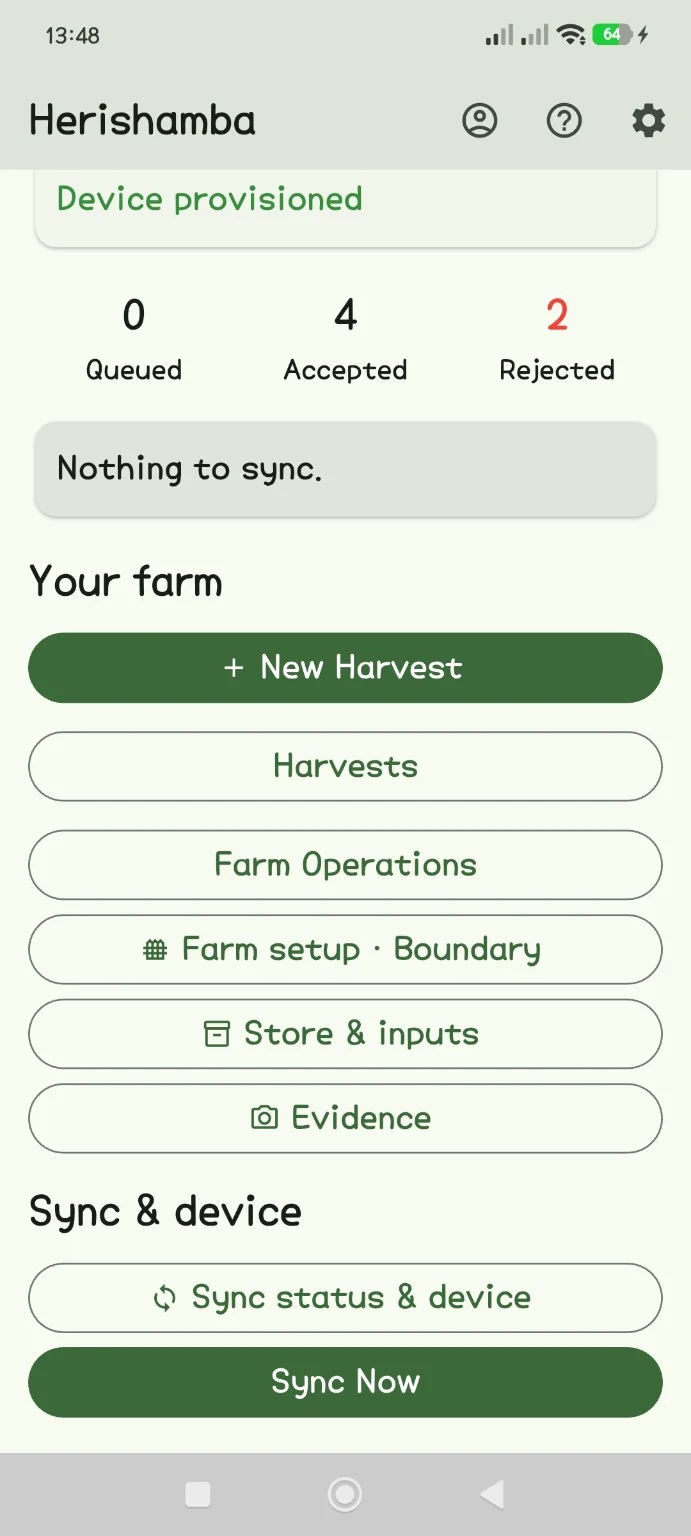
HeriShamba is the phone app farm teams use to record harvests, farm work, inputs, boundaries and photos, with or without mobile signal. When the phone is connected, the records sync to HeritageIQ.
Real app screen · Staging test data
The problem
Harvest weights go into notebooks, spraying is remembered rather than written down, and photos sit in personal phones. Many farms have patchy signal, so apps that need the internet get abandoned.
When a buyer or auditor later asks what happened on a farm, the answer has to be rebuilt from memory and paper.
What HeriShamba does
Record harvest dates and quantities for the farm as they happen, and finalise them for sync.
Record operations such as spraying, weeding or fertilising, including inputs used from the farm store.
See each input receipt with what is available, issued and used, as last confirmed by HeritageIQ. It stays readable offline.
Walk the farm edge with GPS, or tap corners on a map. Pause, resume, undo, and pick up a draft after the app closes.
Take photos with the in-app camera. Time, location and a fingerprint are recorded at capture.
Tap Sync Now when you have signal. The app shows what was accepted, what is waiting and why anything was not accepted.
Workflow
Each record is saved on the phone first. Nothing depends on signal at the moment of capture.
A harvest, operation, boundary or photo is saved on the device immediately, online or offline.
Finished records wait in a queue. Closing the app or losing power does not lose them.
When connected, the queue is sent. Resending after a dropped connection does not create duplicates.
HeritageIQ checks each record and accepts it into the farm's permanent history, or returns a reason the team can act on.
Who it serves
Practical value
Good to know
Pilot app access
Android access is arranged during pilot onboarding. The public app download is not yet available.
Contact us for the approved build and device setup. Install updates over the existing app; do not uninstall an app holding unsynced records.
Ask about pilot accessCoffee pilot
Tell us about your farm, or set up a farm account now and we will help you get the app working in the field.
Keep exploring
Follow a coffee lot back through processing, custody and harvest to the farms and boundaries it came from.
Explore Coffee ProvenancePublish a fixed, integrity-checked Coffee Lot Origin Record that buyers open from a shareable link.
Explore Digital Product PassportPrepare farm geolocation and traceability records for the due-diligence work your EU customers must carry out.
Explore EUDR Compliance Support